


 Crown Win
A small artwork change can affect an entire packaging order. The risk is higher when a project includes several SKUs, printed box interiors, matching bags or multiple rounds of revisions. Before production, the buyer and supplier need to confirm which artwork file, dieline and approval version are final.
A screenshot or an email attachment named “final” may not be enough. The production team needs a clear, approved set of files that matches the packaging structure and each product version.
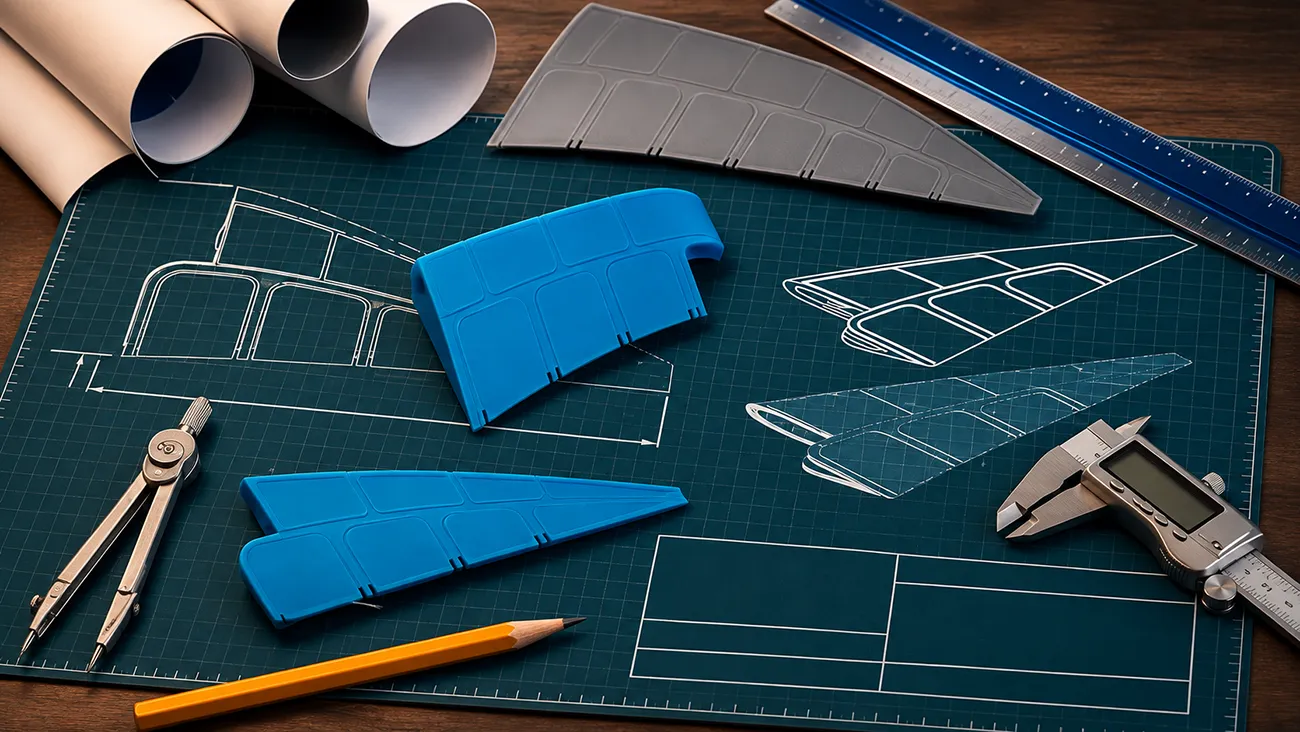
Keep the logo file, artwork layout and dieline clear
These files serve different purposes:
Logo file: The brand mark used in the design.
Artwork layout: The approved design placed on the packaging panels.
Dieline: The structural template showing panels, folds, cut lines and glue areas.
A correct logo file can still appear in the wrong place if it is applied to an outdated dieline. Likewise, a layout may look right on screen but refer to a different box structure. Ask the supplier to identify which layout and dieline are being used for the proof and production.
Give the final files a clear version
Choose one final artwork set for production and identify it clearly. Include the file name, version or approval date in the approval record. If the project has several designs, list the approved file for each SKU rather than relying on a general “latest files” folder.
Before approval, confirm:
1.Which logo file is approved
2.Which dieline and box structure apply
3.Which artwork belongs to each SKU
4.Whether the box interior, paper bag or insert also has printed artwork
5.Whether any copy, barcode or other required content has changed
If a file is still being revised, label it as a draft or provisional version so it is not mistaken for production artwork.
Review artwork on the actual packaging layout
Review the design on the correct dieline, not only in a standalone image or screenshot. Check that artwork is assigned to the intended panels and remains in the right position after folding and assembly.
Pay attention to:
1.Front, back, side and interior panels
2.Logo size, placement and orientation
3.Text, product names and other variable details
4.Artwork near folds, edges, openings or glue areas
5.The design version used for each product or packaging item
For projects with several SKUs, review each layout separately. One approved design does not automatically approve the other versions.
Know what the proof does—and does not—confirm
A digital proof can help review the artwork layout and visual arrangement. A physical sample can help evaluate the assembled package and the printed result on the selected material. The appropriate approval step depends on the project and what needs to be checked.
Before signing off, confirm which proof or sample is the approval reference. If the artwork, material, finish or structure changes afterward, ask whether a revised proof or sample is needed.
Crown Win’s customization options include different box styles, materials and finishes. Confirm the actual project specification with the supplier before treating a visual preview as approval of every production detail.
Record approval in one place
Keep the approval record with the final files. It should identify:
1.The approved artwork file and version
2.The related dieline or box structure
3.The SKU or product version
4.The proof or sample reviewed
5.The approval date and responsible approver
6.Any approved changes or remaining open items
This gives the design, sales and production teams a shared reference. If a revision is requested after approval, record what changed and which new file replaces the previous version.
A buyer inquiry: a revised design and an unclear file version
In an anonymized U.S. packaging inquiry, the buyer revised the design after an earlier discussion. The next step was to obtain the final logo PDF and confirm the folding structure and display-panel dieline. Without checking those versions, a quote or sample could refer to a different design from the one the buyer intended.
This example is based on an anonymized buyer inquiry. The details are specific to that inquiry and do not represent a standard packaging specification.
Final artwork approval checklist
Before authorizing production, confirm:
1.The approved logo and artwork files are clearly identified.
2.The artwork is placed on the correct dieline and structure.
3.Each SKU or packaging item has its own approved layout.
4.Printed interiors, inserts or matching bags are included if required.
5.The proof or sample being approved is clearly identified.
6.Revisions made after the proof are either incorporated or explicitly excluded.
7.The approval record is saved with the production files.
If any item is still undecided, list it as open rather than treating the entire artwork set as approved.
Frequently asked questions
Is a logo file the same as final packaging artwork?
No. A logo file is one design asset. Final packaging artwork places the approved logo and other content on the correct panels of the packaging layout.
Can I approve a screenshot of the design?
A screenshot can help with an early review, but it may not show the complete dieline or all panels. Confirm the artwork on the correct packaging layout and identify which proof or sample is the approval reference.
What if I request a change after approving the artwork?
Tell the supplier exactly what changed and provide the revised file. Ask whether the new version affects the proof, sample, quote or production schedule, and record the updated approval before production continues.
How should I manage artwork for multiple SKUs?
Give each SKU a clear name and keep its artwork linked to the correct dieline and product version. Review and approve each layout separately.
Confirm the production file before sign-off
The final approval should connect the logo file, artwork layout, dieline and product version. A clear version record helps everyone see which design is authorized for production.
Send your latest artwork and product list to Crown Win to discuss what needs confirmation before sampling or production.
 How to Design a Gift-Set Insert When the Kit May Change